
ParentNote
The family second brain
Save it. Find it. Remember it.
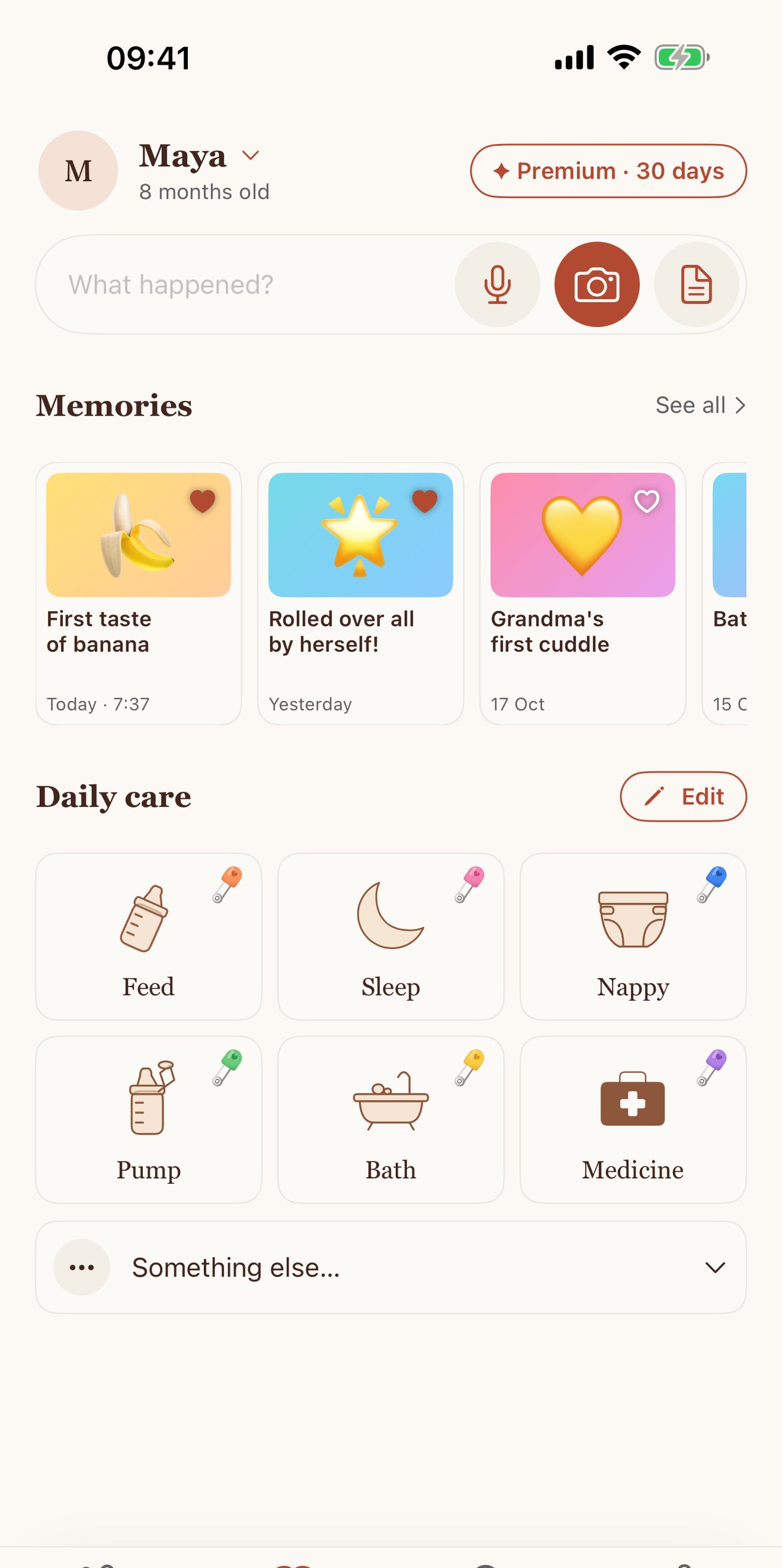
ParentNote keeps your baby’s care logs, health letters and memories in one private, searchable place on your iPhone. No account, no login: everything stays in your own iCloud.
- Log feeds, naps and nappies in one tap, with six actions you choose.
- Keep vaccination records and letters in folders, and search the text inside them.
- Save memories and keep your three favourites on top.
- Share one child with a grandparent or nanny, and remove their access in one tap.
Coming soon to the App Store.
Need help? Email contact@betteratparenting.com and we'll reply within two working days. Please tell us your iPhone model and iOS version. Don't send your child's records or photos: we don't need them to help.
Help and support
Getting started
Do I need an account?
No. ParentNote has no account or login. Your records are kept on your iPhone and, if iCloud is on, in your own iCloud.
My records aren't on my other iPhone or iPad
Check that you're signed in to the same Apple Account on both devices and that iCloud is on for ParentNote: open the iPhone's Settings, tap your name, then iCloud. Syncing can take a few minutes, and needs an internet connection.
Caregivers
How do I invite a grandparent, nanny or partner?
Open the Family tab, choose the child, and tap "Invite caregiver". Choose whether they can only view or can also add records, then send the invitation by Messages or email. They need ParentNote on an iPhone with iCloud switched on.
How do I remove someone's access?
Open the Family tab, choose the child, and in caregiver access tap the remove button next to their name. Access doesn't end by itself. If you set a reminder when inviting them, tapping the reminder takes you straight there.
I accepted an invitation but can't see the child
Make sure iCloud is on and you're connected to the internet, then open ParentNote again. If it still doesn't appear, ask the parent to send a new invitation.
Premium
How do I restore my purchase on a new iPhone?
Tap "✦ Premium" at the top of any tab, then "Restore purchases". Use the same Apple Account you bought with.
How do I cancel my subscription?
Open the iPhone's Settings, tap your name, then Subscriptions, and choose ParentNote. You keep Premium until the end of the period you've paid for. You can also tap "Manage subscription with Apple" in ParentNote's Premium page.
How do I ask for a refund?
Apple handles refunds. Request one at reportaproblem.apple.com.
What happens when the free Premium preview ends?
Nothing is charged: the preview never turns into a subscription by itself. You keep all typed records and the free features. If you don't subscribe, you can export photos, videos and files to Photos or Files before confirming their removal from the app.
Your data
How do I save a copy of my records?
You can export files and media from the app, and share care summaries and handover notes. Keeping iCloud on also keeps a copy in your own iCloud.
How do I delete everything?
In ParentNote, open Settings (the gear on the Family tab) and choose "Delete all data". This removes your records from your iPhone and your iCloud, and can't be undone.
Why are there Amazon links in Supplies?
Supplies suggests things your child may need, worked out on your iPhone from your own logs. As an Amazon Associate, we earn from qualifying purchases, which helps keep ParentNote's core features free. Nothing about your child is included in the links. You can turn suggestions off in Settings.
Read our Privacy Policy and Terms of Use.